
Filter on custom events
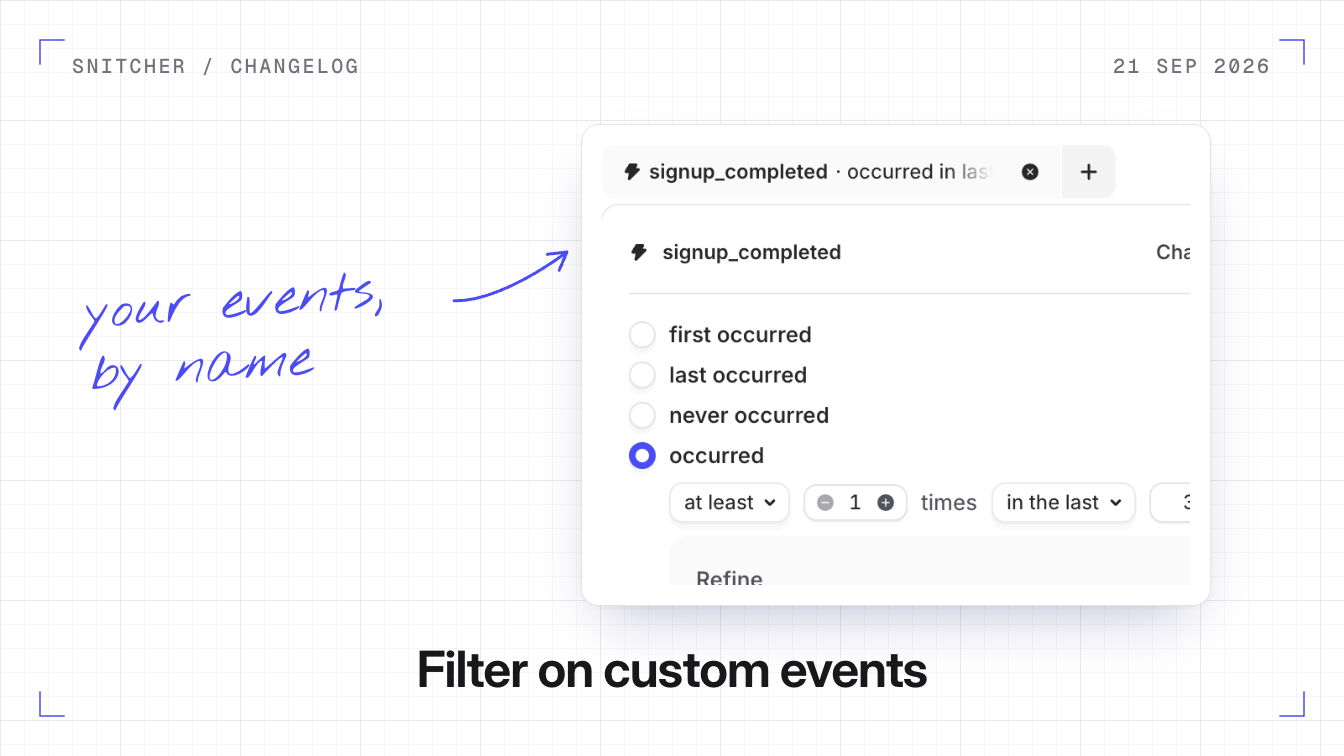
You can now filter companies on the custom events your site or app sends with Snitcher.track(), like a visitor switching your pricing page to yearly billing.
Why it matters
You can segment on the moments that matter in your own funnel, like a started trial or a booked demo.
Filtering on an event
Pick an event, then filter on whether it happened, when it first or last happened, how often and how recently. You can also filter on the data sent with the event: numbers compare as numbers, like seats greater than 9, and true/false values and dates work too. Suggested values come from your own events.
Past events and the MCP
- Events count from when you start sending them. Past activity isn’t filled in.
- The MCP sees them too. The Snitcher MCP can build segments on the same event names and values.
Send your first event
- Add
Snitcher.track()calls where the actions happen on your site. Custom events are never captured automatically. - Once events arrive, open Add filter in your inbox and pick one under Custom events.
Custom events covers sending events and filtering on them, and the developer guide has the code.