
Introducing the new inbox
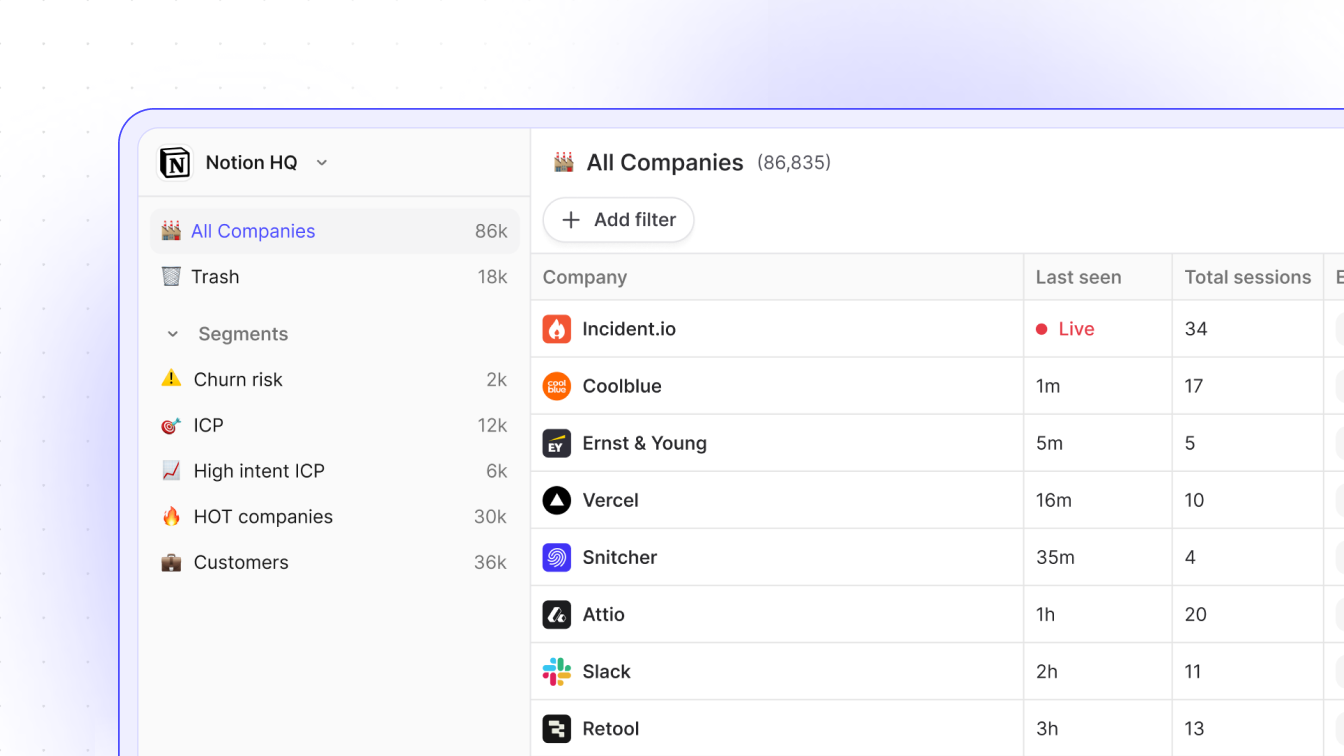
The inbox is now a table instead of a list of cards. You choose which columns show, arrange and sort them the way you work and preview any company without leaving the list.
Why it matters
You set the inbox up around how you work, instead of working around the inbox.
Arrange it your way
- Columns: open Column settings at the top right of the table to pick fields and drag them into order. Each column’s header menu moves it left or right or hides it, and you can resize any column.
- Previews: hover a row for a card with the company’s key details.
Export and act in bulk
- Exports can match your view. Choose Export selected columns to export exactly the columns you see.
- Bulk actions (added 6 Feb). Select companies to send them to your CRM, Slack or Teams or tag them, all at once.
Set up your columns
Open your inbox and click Column settings at the top right.
Read the launch post, or Source Code with Davey for how it was built.