
Score every company against your ICP
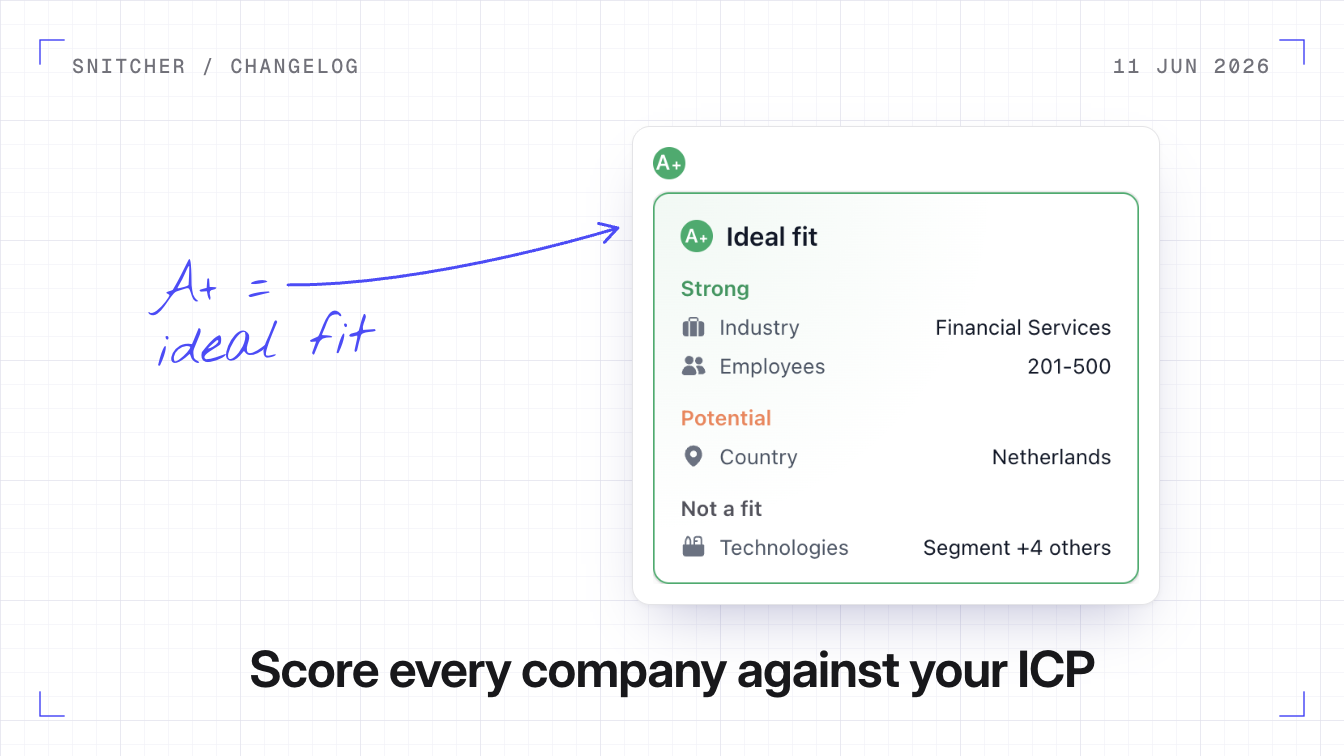
Snitcher now scores every identified company against your ideal customer profile and gives it a fit tier from A+ to D. The tier shows in the ICP Fit column of your inbox.
Why it matters
You can see which visiting companies fit your ICP before you open any of them.
How scoring works
Your scorecard starts pre-filled from your website and a sample of the companies visiting it, covering industry, company size, country and tech stack. You can edit any condition, mark values as a strong or potential fit, and score on up to nine fields.
With a CRM connected, Fetch from your CRM suggests changes based on your recent won deals, and you accept or dismiss each one. New companies are typically scored within a minute.
Where the tier shows up
- In your inbox. Sort by ICP Fit, and hover over a tier to see which values matched.
- In filters and segments. Filter any view by tier. Saving your scorecard for the first time creates an ICP Matches segment with tiers A+ to C.
- In exports. CSV exports include an
icp_fitcolumn.
Set up your scorecard
- Go to Settings → ICP Scorecard, or choose Manage ICP Scorecard in the ICP Fit column’s menu.
- Check the pre-filled conditions, change what doesn’t fit and click Save.
Scores use company data only, not visits or behaviour. The ICP Scorecard guide explains every setting.