
Suggested people
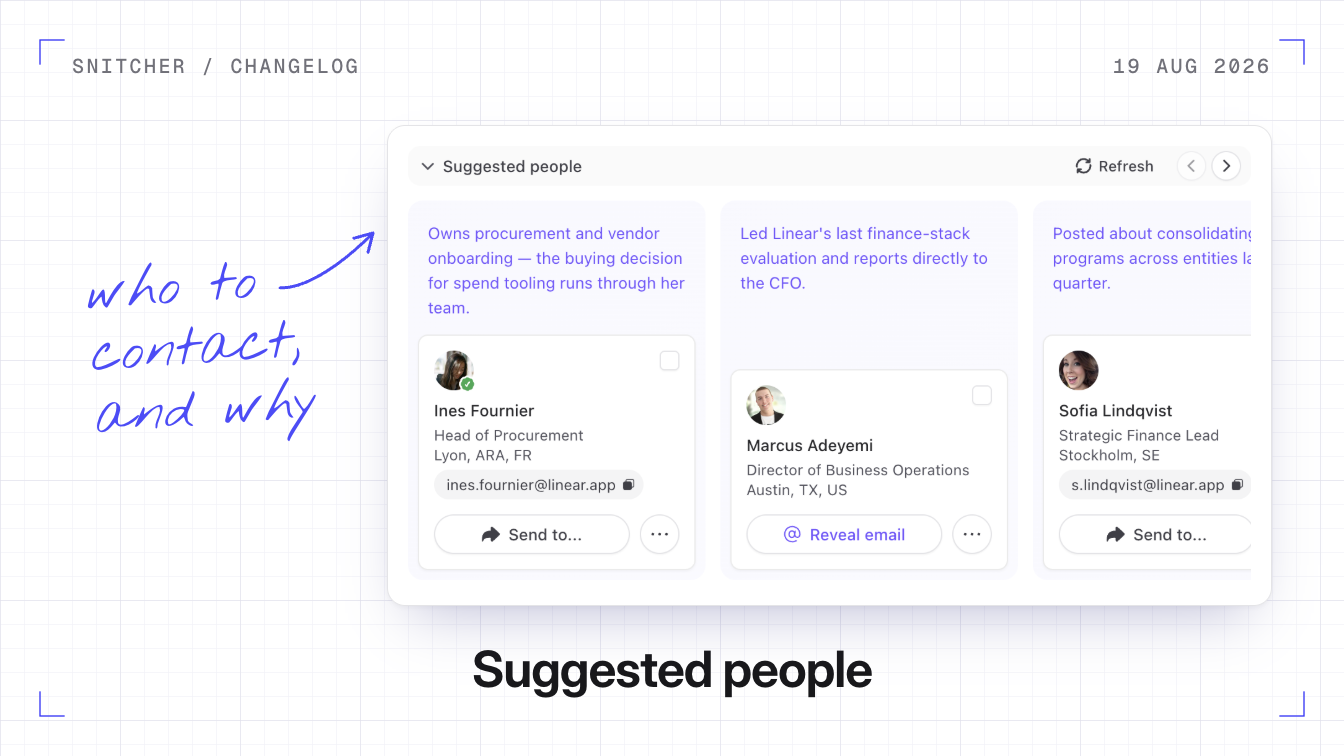
You can now ask Snitcher who to contact at a company. Suggested people picks two to four people from the contacts Snitcher already knows there, each with a short reason they’re relevant.
Why it matters
You get a short list of who to contact, with the reasons, instead of working it out yourself.
How the search works
The number of people scales with the size of the company. If you’ve set up buyer personas, Snitcher ranks the picks against them, and the search still works without personas. Each person’s card has Send to…, which hands them to a CRM, outreach tool or notification channel you’ve connected. Searching again adds new people and keeps the ones you already have.
What it costs
- Each search uses email reveal credits. A search reveals each suggested person’s email, at one email reveal credit per email.
- No double charges. Emails you’ve already revealed aren’t charged again, and the search doesn’t use AI credits.
Run a search
- Open a company from your inbox and go to its People tab.
- Click Start search in the panel at the top. Companies with no known contacts don’t show the panel.
How suggested people works explains how the picks are made.