MCP
Query your Snitcher data from Claude, ChatGPT, Copilot, and any MCP-compatible AI assistant. The Snitcher MCP server exposes your visitor identification, company intelligence, and engagement data through the Model Context Protocol.
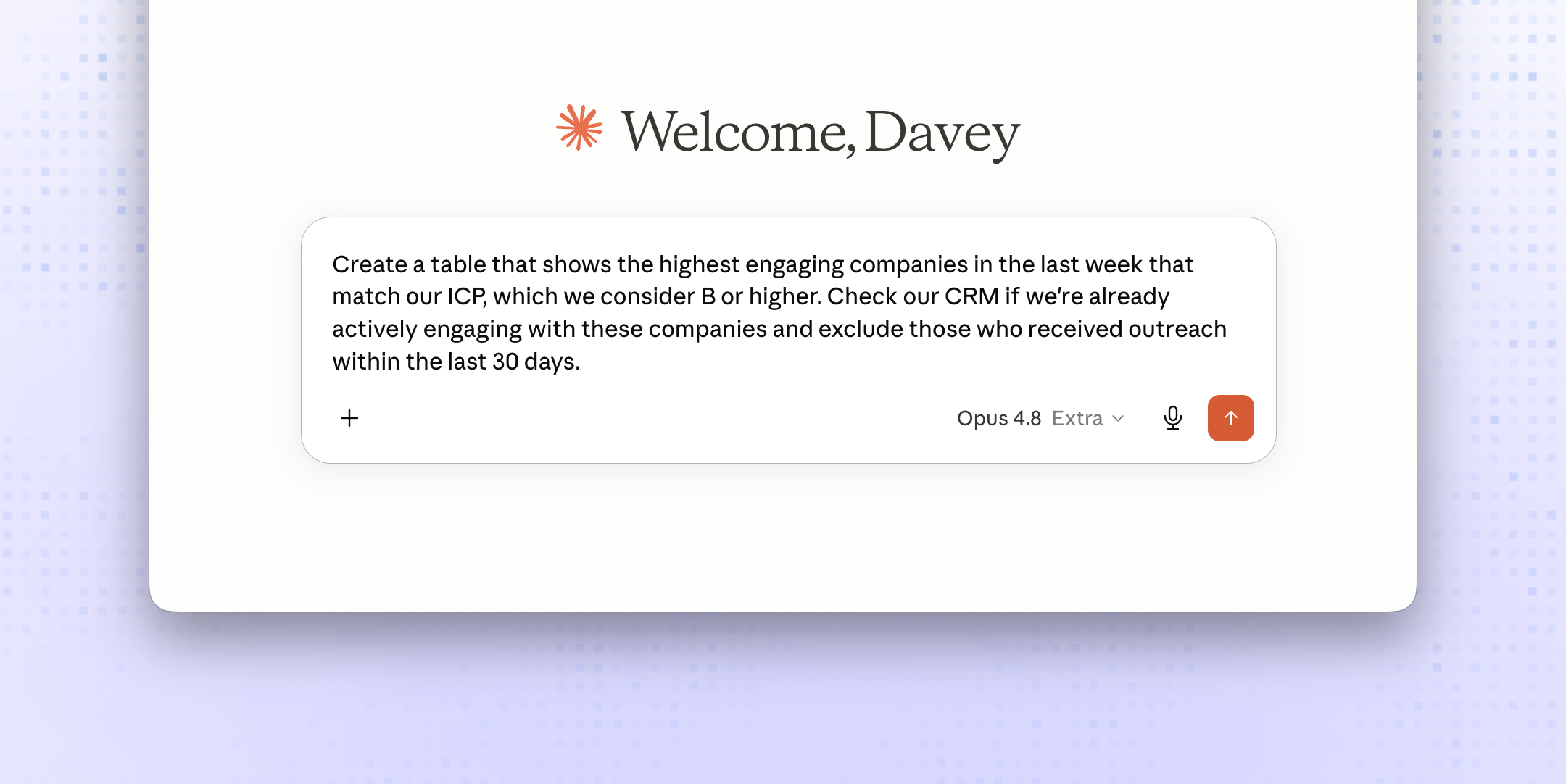
- Native Model Context Protocol (MCP) server
- Works with Claude, ChatGPT, Copilot, and any MCP client
- Query identified companies, contacts, and engagement
- Filter by ICP, segment, score, or recency
- Cross-reference with your CRM in a single prompt
- Secure, per-workspace authentication
- Ask Claude for this week's highest-intent companies that match your ICP
- Draft outbound emails from Snitcher signals without leaving your AI assistant
- Audit which identified companies your team has not yet reached out to
- Pull engagement summaries into research workflows
Overview
The Snitcher MCP integration turns your AI assistant into a sales analyst. Connect Snitcher once and any MCP-compatible client — Claude, ChatGPT, Copilot, Cursor — can query your identified companies, engagement data, and segments in natural language.
Instead of switching between dashboards, you ask: “Show me the highest-engaging companies this week that match our ICP and haven’t been contacted in the last 30 days.” Your assistant pulls the answer from Snitcher and hands it back as a table, list, or draft email — whatever you asked for.
How it works
Connect once
Authorize Snitcher inside your MCP client. Your workspace key scopes the connection to your team’s data only.
Ask anything
Your assistant calls Snitcher’s tools on your behalf — listing companies, fetching engagement, filtering by score, cross-referencing your CRM — and assembles the response.
Stay in flow
No tab switching. No CSV exports. The data goes straight from Snitcher to your assistant to your reply.
What you can query
- Identified companies — name, domain, industry, size, location, score
- Engagement metrics — sessions, page views, time on site, last visit
- Segments and tags — filter by ICP, persona, or any custom segment
- Visit history — first and last visit, returning visitors, intent trend
- Contacts (when available) — name, role, LinkedIn
Compatible clients
The Snitcher MCP server works with any client that implements the Model Context Protocol, including Claude, ChatGPT, Microsoft Copilot, Cursor, and the growing ecosystem of MCP-enabled tools.
Setup
- Log in to Snitcher
- Go to Settings → Integrations
- Select MCP and click Connect
- Copy the generated server URL and key into your MCP client
- Start asking questions
Best practices
- Lead with intent — combine ICP filters with engagement thresholds so your assistant surfaces only the companies worth acting on
- Bring your CRM — pair MCP with one of your CRM integrations so the assistant can deduplicate against records that already exist
- Iterate the prompt — start broad, then narrow (“only this segment”, “exclude reached out in 30d”) to converge on the list you need


