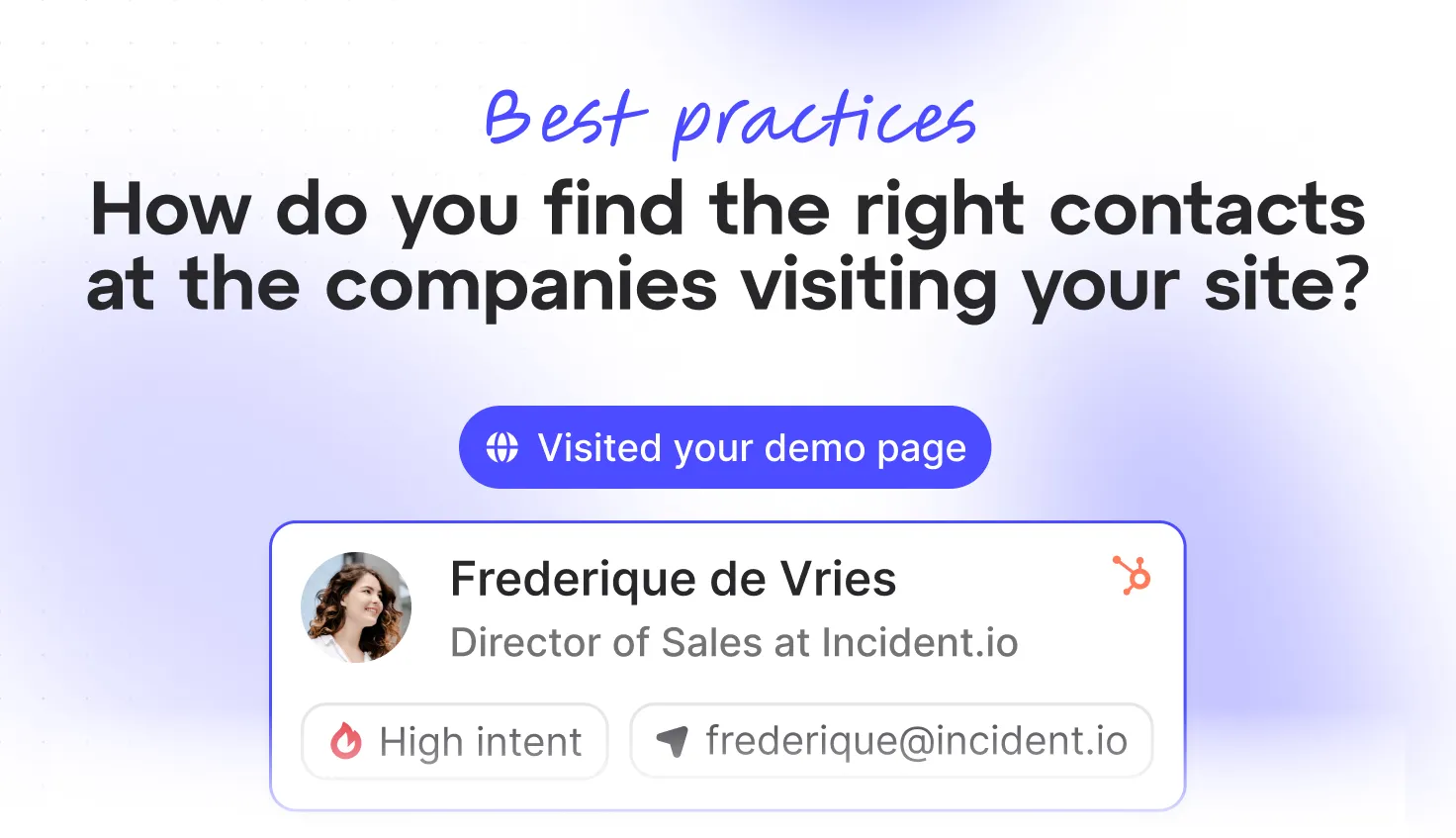
Visitor identification tells you that a company was on your website. Great. Now who do you contact there and where do you get their details?
Most teams do one of two things. They email the CEO, who gets 200 cold emails a day and reads none of them. Or they email whoever showed up first on LinkedIn, who turns out to be an intern in the Lisbon office.
The company is only half the answer. The other half is who at the company has both the problem your business solves and the power to do something about it. This post covers who that usually is, how to find them without guessing every time and how to write to more than one of them without being weird about it.
Why is the first contact usually the wrong one?
Because B2B buying is a group project. Somebody feels the pain, somebody signs the contract, somebody has to make it work and somebody’s job is to say “do we really need this?”
| Role | What they care about | What they need from you |
|---|---|---|
| Champion | The problem, because it’s ruining their week | Proof it’ll actually fix it |
| Decision-maker | Cost, risk and whether it’s worth the switch | A clear reason to say yes |
| User | Whether it’s easy and fits how they work | Confidence it won’t make their job harder |
| Blocker (IT, legal, finance) | Security, contracts and budget | Answers before they have to ask |
If you email only one of them, your deal depends on that person forwarding your message to the others.
(They won’t.)
How many of them you need to reach depends mostly on how big the company is:
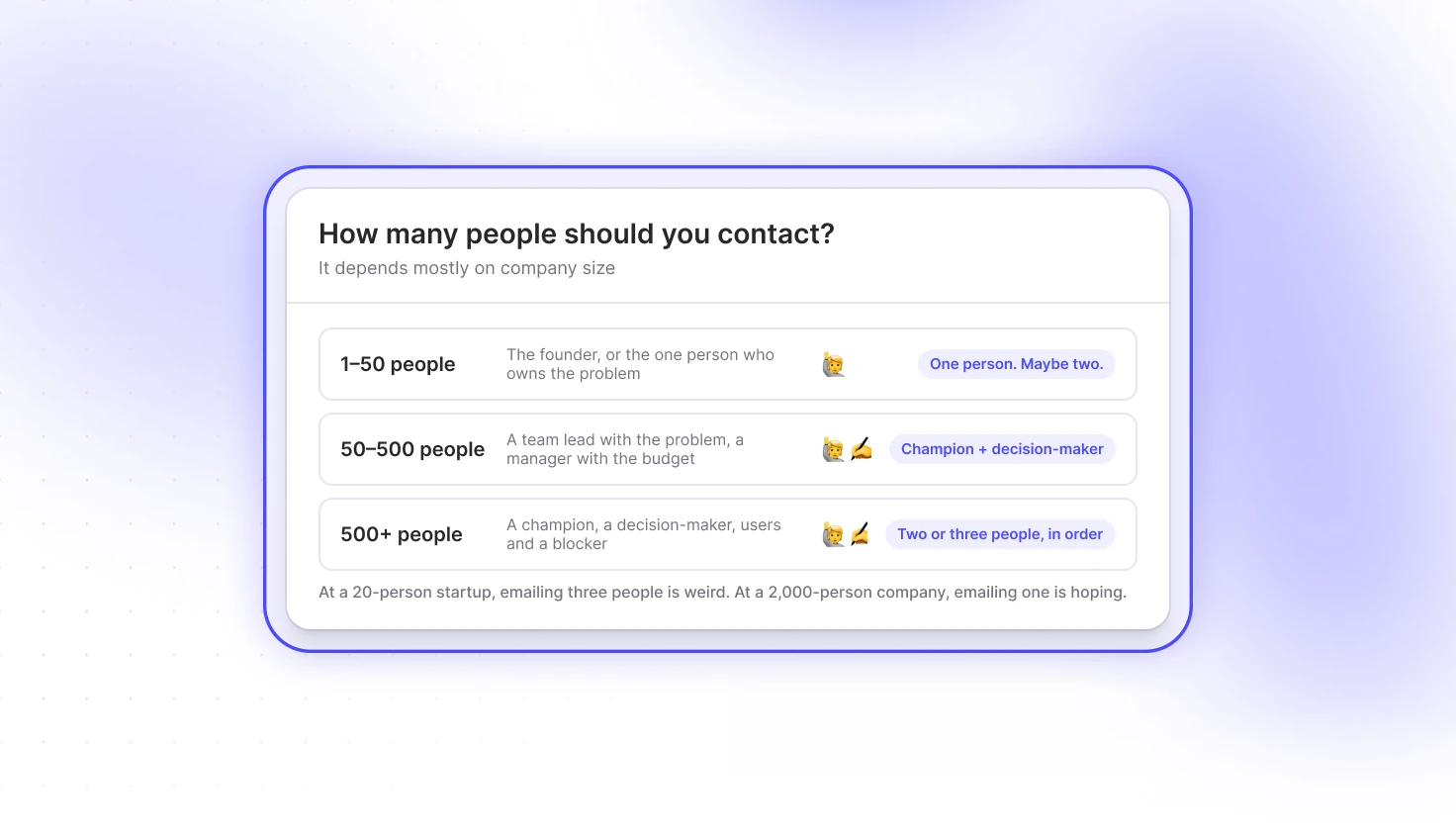
At a 20-person startup, emailing three people is weird. At a 2,000-person company, emailing only one is hoping.
Who’s in the committee for what you sell?
The buying committee for a sales tool looks nothing like the one for payroll software. Here’s a starting point:
| If you sell… | Champion | Decision-maker | Watch out for |
|---|---|---|---|
| A sales or marketing tool | Sales or marketing manager | VP Sales, CMO, CRO | RevOps (they’ll ask about the CRM) |
| Software for developers | Engineering lead | CTO, VP Engineering | Security review |
| Finance software | Finance manager, controller | CFO | IT and procurement |
| HR or recruiting software | HR manager, talent lead | Head of People | Legal (employee data) |
| Logistics or operations | Operations or supply chain manager | COO, Head of Logistics | Procurement |
And some ICPs are just plain difficult.
If your ICP looks anything like Clement’s, don’t try to capture the whole committee in one persona. Start with the two or three job titles that show up most in your won deals and let the visit tell you which one to start with.
What’s a buyer persona, in plain English?
A description of the people you want to reach, written down so you don’t have to work it out from scratch for every company.
“Heads of sales at software companies” is a persona. So is “marketing managers in the UK.” It’s not a fictional character with a name, a dog and a favourite podcast. It’s a filter: job title, seniority, department and location.
Once you have one, you stop asking “who should I email at Acme?” every single time. You already decided.
How do you build personas that actually work?
Start with the deals you’ve won, not the ones you wish you had.
- Look at who signed. That’s your decision-maker persona.
- Look at who pushed for it internally. That’s your champion.
- Look at who uses it every day. That’s your user.
Then turn each one into a filter:
| Persona | Job title contains | Management level |
|---|---|---|
| Sales decision-maker | Sales, Revenue, CRO | Director, VP, C-level |
| Sales champion | Sales, Business Development | Manager, Head of |
| Marketing champion | Marketing, Demand Generation, Growth | Manager, Head of |
Two or three personas is plenty.
The job title does most of the work here because almost everyone keeps theirs up to date on LinkedIn. Department and seniority help narrow it down. Country and region help when you only sell in certain markets or want to match the location of a visit.
Keep personas tight. “Anyone in sales” at a 5,000-person company isn’t a persona.
How do you match the person to the visit?
Use what the visit told you. If a company spent most of its time on your sales pages, start with your sales persona. If the visits came from two different cities, look for matching people in both. (We wrote a whole post on reading the visit before you write the email.)
Should you email more than one person?
Yes, if you do it properly. Writing to two or three people at the same company is normal. Sending all of them the same email at the same minute isn’t.
Write to each person about what they care about:
To the champion (Head of Sales):
Hi Priya,
Most sales teams we talk to have no idea which target accounts are on their website until it’s too late. We fix that by sending your reps the right companies, in Slack, while they’re still looking.
Worth a look?
To the decision-maker (VP Revenue):
Hi Tom,
Quick one: how much pipeline do you think comes through your website without anyone noticing? We help revenue teams find out.
Happy to share what that would look like for Acme.
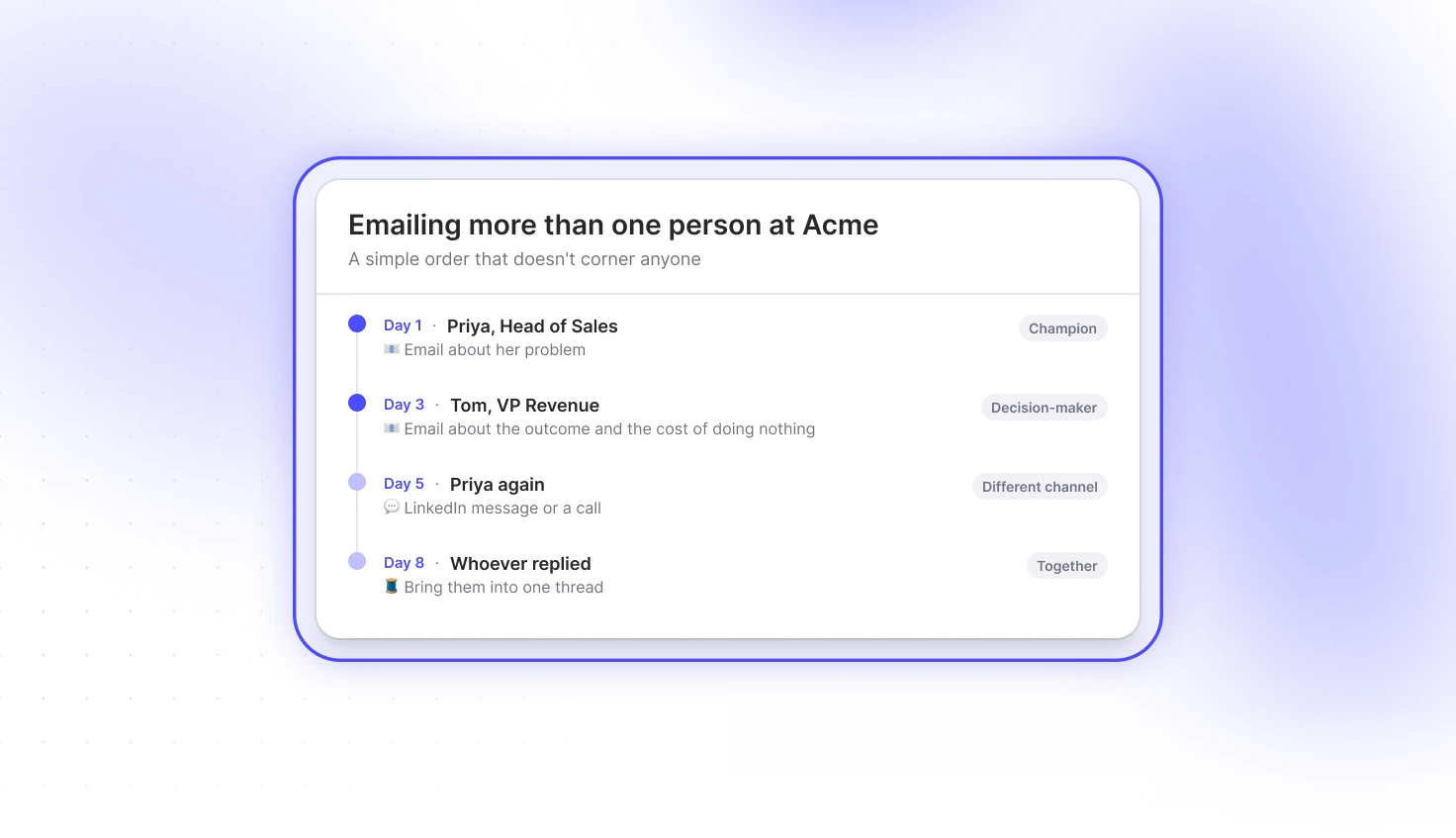
Same company, same product, two different reasons to reply. Don’t CC anyone. Nobody likes being cornered in their own inbox.
A simple order that works:
One more thing: make sure your tools aren’t doing this for you as well. We once sent a prospect two near-identical messages from the same rep, two hours apart, one by email and one in-app.
He noticed (and he was nice about it). Check what your CRM, your outreach tool and your in-app messages are all sending before you add another sequence.
So, who do you email?
Not the CEO and not whoever showed up first. The people who have the problem, the people who can approve the fix and ideally both, each with a reason to care.
Write your personas down once, keep them tight and let them do the guessing for you.
Curious who’s behind the companies on your website? Try Snitcher, set up one persona and look at who it suggests. It takes about five minutes.