It’s the monthly client call. You share your screen: clicks up, CTR up, cost per click down. Their marketing lead is happy. Then their sales director asks which of those clicks turned into a customer. The call goes quiet.
Clients don’t renew for click-through rate. Nobody has ever said “the leads were rubbish, but what a CTR, let’s sign for another year.” They renew when you can show them which companies you brought in.
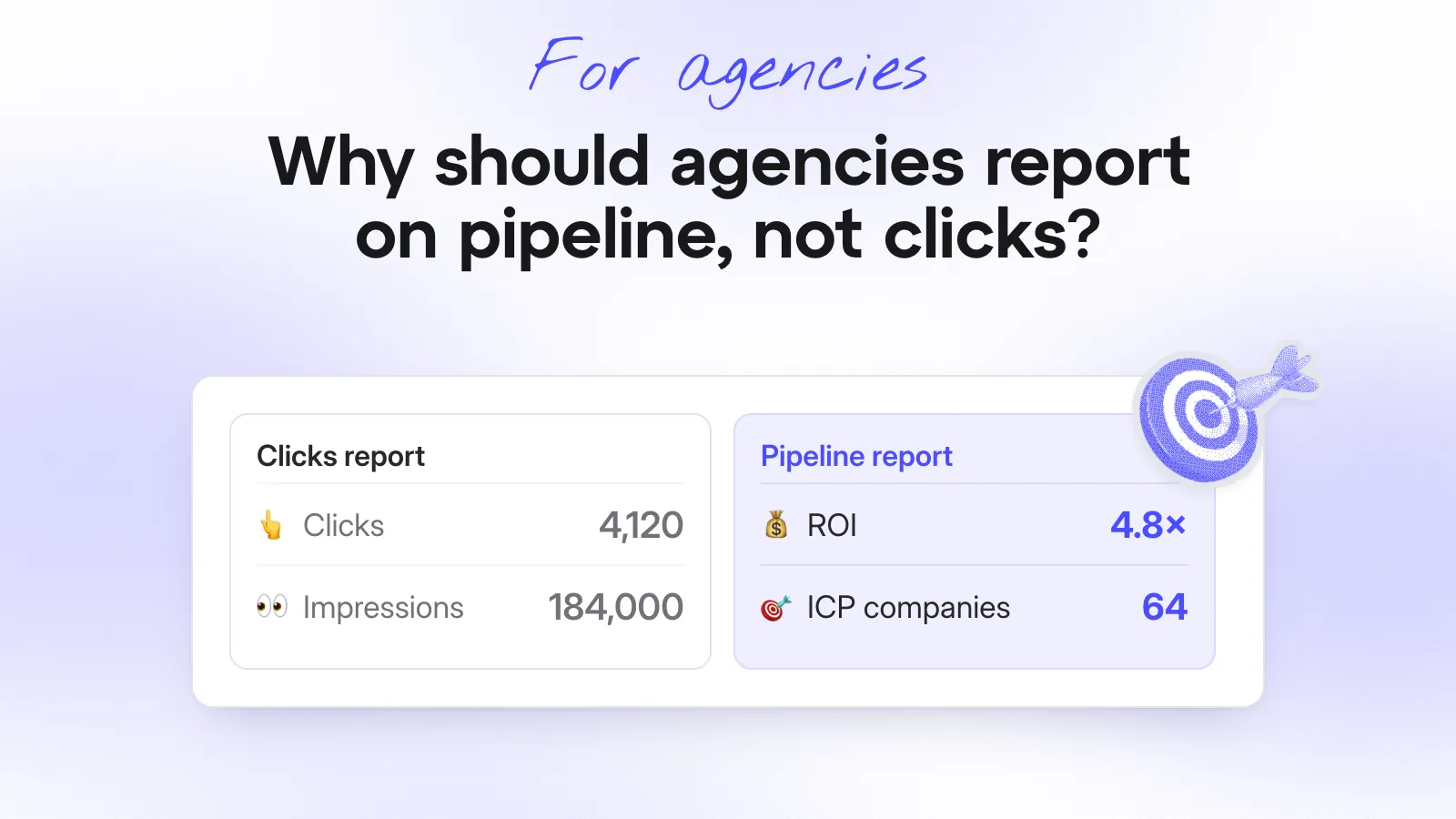
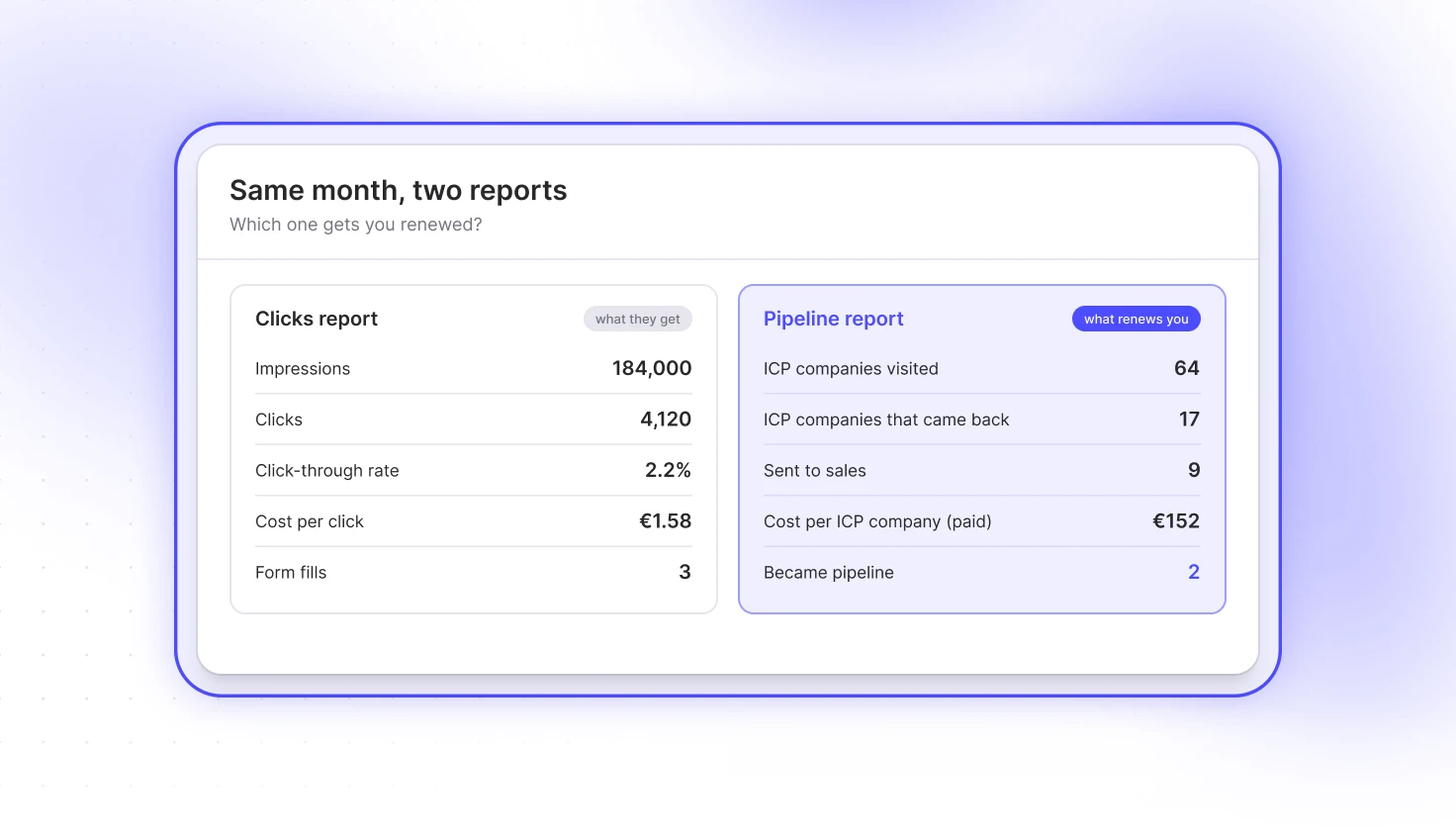
We built Snitcher to show which companies visit a website, form or no form. So instead of “4,120 clicks”, your report can say “64 companies that look like your customers visited – here they are”.
Why do click reports lose clients?
Because clicks don’t tell the client’s sales team anything they can use.
Your report answers “did people see the ads?” Their sales team is asking something else: “did anyone worth talking to show up?” When those two answers don’t match, guess who gets the blame.
Here’s how it usually goes. Your contact in marketing likes the report. Then the sales director says none of those leads turned into anything. Your contact loses that argument internally. A few months later, you lose the client.
Your campaigns might be working fine. The report just stops at the click. Everything the client cares about – who visited, who came back, who’s now talking to sales – happens after that.
Which numbers should you show instead?
Keep the clicks. Just stop leading with them.
Swap in company numbers. ICP is short for ideal customer profile: the kind of company your client wants as a customer. So an “ICP visit” is a visit from a company that looks like their best customers.
Here’s what to swap in:
| What they ask for | What you show | Why it lands |
|---|---|---|
| Clicks | ICP visits by channel | It counts companies that look like their customers, not people who tapped an ad |
| Cost per click | Cost per ICP company | It prices what they actually want |
| Returning users | Returning ICP companies | A company that comes back three times is researching, not browsing |
| Form fills | Accounts sent to sales | Most good-fit companies never fill in a form. This counts them anyway |
| Conversions | Accounts that became pipeline | The one number the CFO cares about |
The four company numbers make a small funnel:
- ICP visits tell you the targeting works.
- Returning ICP companies tell you the content works.
- Accounts sent to sales tell you the hand-off works.
- Pipeline tells you it was worth paying for.
Pipeline is the one that renews you, but it takes months to move. The other three show whether you’re getting there, month by month. That’s what a monthly report is for.
And nobody in sales is going to ask you about CTR.
How do you build the monthly report?
Keep it to one page. If you need a deck to explain it, the numbers aren’t doing their job.
Here’s a structure that works:
- One headline sentence. “Paid brought 43 companies that fit your ICP this month. Nine went to your sales team and two are now open deals.”
- The funnel. The four company numbers, this month against last.
- By channel. Which channels bring good-fit companies and what each one costs.
- Five companies worth talking about. Named, with what they read. This is the bit the client forwards to sales.
- What you’re changing next month. One or two moves, tied to the numbers above.
Clicks, impressions and CTR go in an appendix. Your contact still needs them for their own boss, so don’t drop them. Just don’t lead with them.
Here’s what funnel and channel reports could look like:
| Funnel | This month | Last month |
|---|---|---|
| ICP companies visited | 64 | 51 |
| ICP companies that came back | 17 | 12 |
| Sent to sales | 9 | 6 |
| Became pipeline | 2 | 1 |
| Channel | ICP companies | Cost per ICP company | Came back |
|---|---|---|---|
| Google Search | 21 | €95 | 8 |
| LinkedIn Ads | 18 | €160 | 5 |
| Display | 4 | €410 | 0 |
| Organic search | 21 | – | 4 |
You can already see next month’s conversation in that last table. (Display is about to have a difficult month.)
Then put the headline in the email the report goes out with, so the client gets the point before they open the attachment:
Hi Kate,
October’s report is attached. The short version: 64 companies that fit your ICP visited, up from 51. Paid brought in 43 of them, nine went to your new business team and two are now open deals.
Two to call this week: Notion and Vercel have both been through your case studies three times this month.
Google Search is doing most of the work at €95 per ICP company. Display is costing €410 and nothing’s come back, so we’ll move that budget into Search for November.
Clicks and CTR are in the appendix as usual. Happy to go through it all on Thursday’s call.
Marios
How do you prove it became pipeline?
Check the client’s CRM, not your ad platform. Take the ICP companies your campaigns brought in and see which of them now have an open deal.
Be honest about what that number means. Your campaign probably didn’t create the deal on its own. It got the company to the website. The sales team did the rest.
So call it “influenced pipeline”. Clients trust that more than an attribution model that gives you all the credit. (They’ve seen those. They know.)
It also takes time. A company that first visits in March might be a deal in June, so keep a running list, not just a monthly snapshot. Renewal time is much easier when you can say “eleven deals this year started with a company our campaigns brought in”.





How do you have the budget conversation?
Bring company names, not averages. A blended cost per click hides the campaigns that bring the wrong people. A list of companies shows them straight away.
| What you see | What it probably means | What to do with the budget |
|---|---|---|
| Lots of universities from one campaign | The audience is too broad. Students love a free guide | Narrow the targeting or cut it |
| Visits that only go to the careers page | You’re running a very expensive recruitment campaign | Exclude the careers page or change the creative |
| ICP companies that visit once and never return | The ad works, the landing page doesn’t | Fix the page before you add spend |
| Few companies, but most of them come back | Small and good | Protect it and test more budget carefully |
| Competitors | They’re researching you on your client’s money | Exclude them |
Clients don’t argue with “these campaigns bring students”. They don’t argue with “these 18 companies came from LinkedIn and five came back” either.
You’re not asking for more budget. You’re asking to move it. Taking money from the campaign that brings students and giving it to the one that brings back ICP companies is the easiest yes you’ll get all year.
What do you do when the numbers are bad?
Tell them before they find it. A client who finds the bad month on slide 27 remembers it for a long time.
Then work out which kind of bad it is:
- Fewer companies is often fine, especially after you’ve cut a campaign that brought the wrong ones.
- Worse companies is the real problem. That’s the one to explain.
Here’s how the first kind can go. Say I’ve just switched off a client’s campaign that was mostly bringing in students. Their traffic drops by 30%:
 Marios Morad9:02 AM
Morning! Heads up before the report lands: traffic's down about 30% this month. That's on purpose, we switched off the campaign that was mostly bringing in students. The good bit: ICP companies are up from 51 to 64. Notion and Vercel have both been through your case studies three times this week, so I've sent them to your new business team 👀
- KateACME Agency9:41 AM
Oh OK, that's a much better story than I was expecting 😅 Can new business get these every week instead of monthly?
- Marios Morad9:43 AM
Yep, I'll set it up today
Traffic dropped 30% and the client ended the chat asking for more reports. That’s what company numbers do for you.
When the company numbers are down too, don’t spin it. Show the list anyway – there’s always something on it – say what you think went wrong and what you’re testing next. One honest bad month costs you far less than a run of good-looking reports that sales doesn’t believe.
So, what should agencies report on?
The companies. Clicks show the ads ran. Companies show the right people turned up, came back and ended up in front of sales.
Lead with ICP visits, returning ICP companies, accounts sent to sales and pipeline. Keep it to one page, name five companies every month and put the clicks in the appendix. If it were my report, that’s the change I’d make next month.
If you’re not running visitor identification for your clients yet, here’s why it’s worth it.
Want to run it across your clients? Join the Snitcher partner program, set up a workspace per client and schedule the first report. It’ll be in your inbox before the next client call.