Every month your client asks the same question in a slightly different way: “So what did we actually get for the money?”
You show them clicks, impressions, cost per click and a few form fills. They nod. Then their sales team says none of the leads were any good, and you’re back to defending a dashboard.
Visitor identification gives you a better answer. Instead of “your ads got 4,000 clicks,” you can say “these 37 companies came to your website this month, and 12 of them look exactly like your customers.”
This post explains what it is, why it’s worth running for B2B clients and how to set it up without turning it into another project.
What is visitor identification, in plain English?
Most visitors to a B2B website never fill in a form. Visitor identification shows you which companies they came from anyway.
It works by looking up the network a visit came from. When someone browses from their office, that network usually belongs to their company, so you can see the company’s name, industry and size, plus what they read on the site.
Two things it doesn’t do: it doesn’t tell you the name of the person reading, and it doesn’t identify everyone. Visits from home Wi-Fi or a phone usually stay anonymous. It’s company-level, and that’s plenty for B2B.
Why run it on your clients’ websites?
Because it answers the questions clients actually care about, and most agencies can’t.
| What your client wants to know | What you show them today | What you can show them with visitor ID |
|---|---|---|
| Is the money working? | Clicks and cost per click | Which companies the campaigns brought to the site |
| Are we reaching the right people? | Audience targeting settings | How many visitors actually fit their ideal customer |
| Are we helping sales? | Form fills (a handful) | A list of interested companies for sales to follow up |
| What should we do next month? | ”Let’s test new creative” | Which channels and pages bring good-fit companies |
That last column is the difference between “the agency that runs our ads” and “the agency that helps us find customers.”
Guess which one gets renewed.
Which clients is it right for?
Not all of them. It works best for clients who sell to businesses, have some traffic and have someone to follow up. Here’s how that usually plays out:
| Client type | Good fit? | Why |
|---|---|---|
| B2B SaaS | ✅ Yes | Long sales cycles, lots of research before anyone books a demo |
| Manufacturing and industrial | ✅ Yes | Big-ticket deals, buyers who never fill in forms |
| Professional services (consulting, legal, IT) | ✅ Yes | A handful of the right companies is worth a lot |
| Education, recruitment, B2B marketplaces | 🤔 Sometimes | Depends on whether they sell to companies or individuals |
| Ecommerce and B2C | ❌ No | Their buyers are people at home, not companies |
| Brand-new sites with very little traffic | ⏳ Not yet | A few hundred business visitors a week is when it gets useful |
The other question is whether anyone on the client’s side will act on it. A list of interested companies is only useful if somebody follows up. If the client has no sales team, start with the reporting side instead.
How do you pitch it to a client?
The best pitch is still showing them. Install it, wait a week, then walk in with five companies they know.
A week later, your client’s Slack looks like this:

- Dana HughesSales wants to know who to call this week.
- Chris LaneMonaco. Three visits, all on pricing.
- Dana HughesSales said thank you. Sales has never said thank you.
- Chris LaneScreenshot it.
What does the client get in the first week?
Something they can recognise. The first time a client sees companies they know (a prospect they’ve been chasing, a competitor, a customer) on a list of their website visitors, the penny drops.
Set up three things before you show them:
- An ICP segment. The companies that look like their customers, by industry, size and location, so they don’t wade through every visit.
- Buyer personas. The roles their sales team sells to, so every company comes with suggested people to contact.
- Alerts. New good-fit companies go to the client’s Slack or CRM, so their team sees them without logging into anything new.
Then run the first review yourself. Pick five companies worth talking about and walk the client through them. It lands much better than a login and a “let us know what you think.”
Here’s what the first month usually looks like:
| When | What happens |
|---|---|
| Day 1 | Install the tracker and set up the ICP segment, personas and alerts |
| Week 1 | Companies start showing up. Check the ICP segment looks right |
| Week 2 | First review with the client: five companies worth talking about |
| Week 4 | First monthly report with company metrics next to the usual numbers |
How do you report on it?
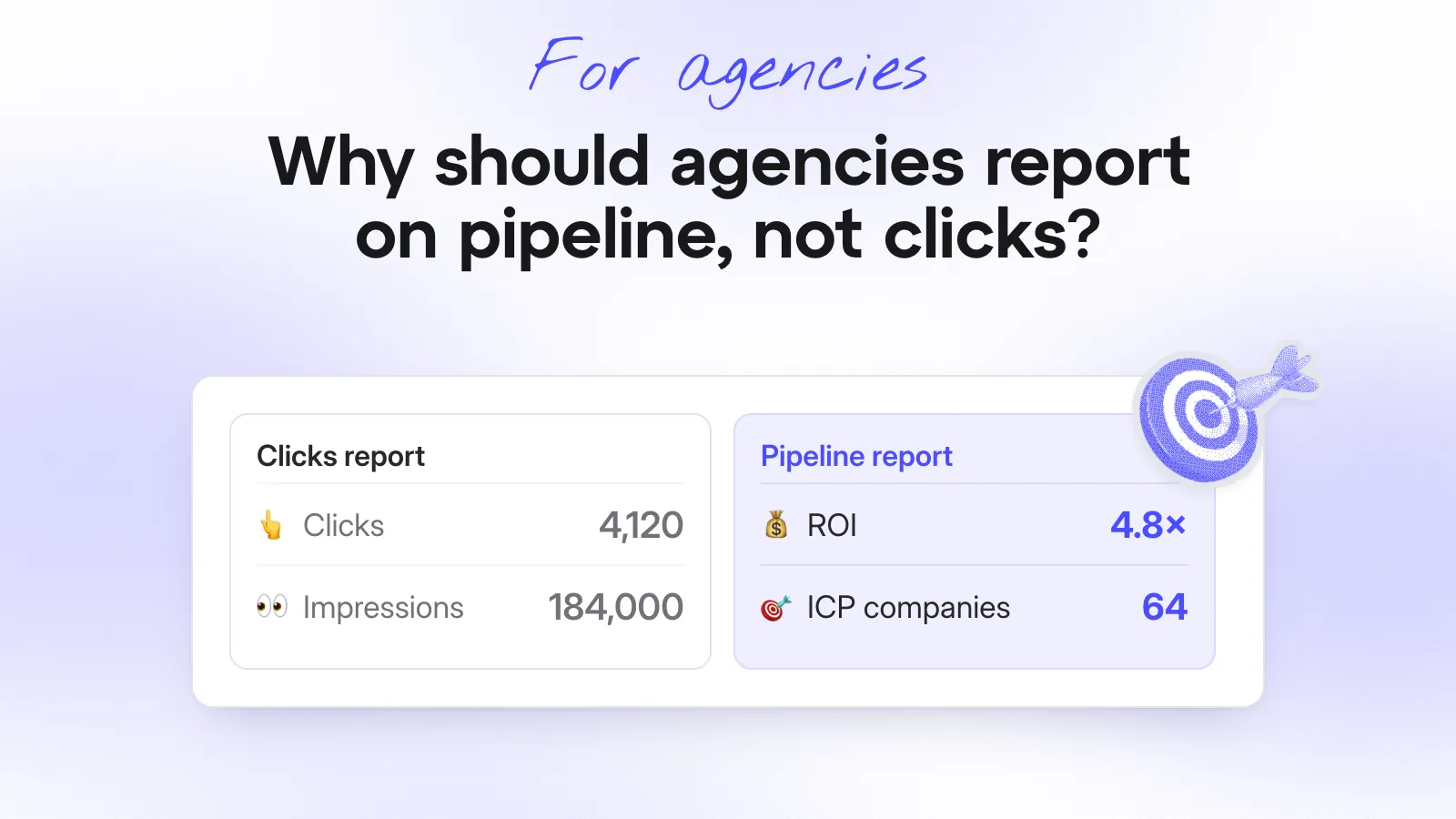
Swap some of the click metrics for company metrics. A simple monthly report could look like this (example numbers):
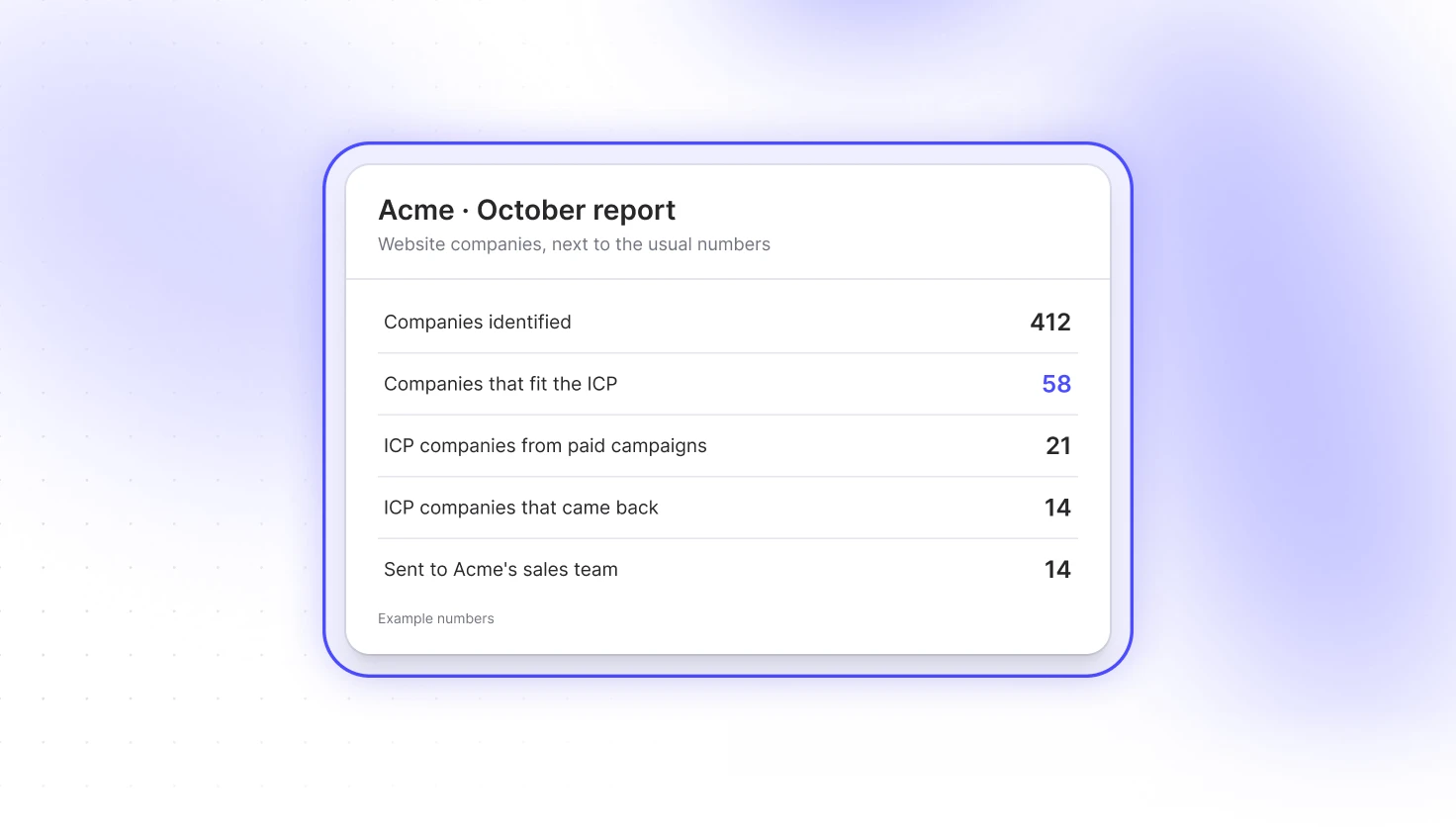
You’re not replacing their analytics. You’re adding the bit they always wanted and never had. Who.
Over a few months, you can also show which campaigns bring good-fit companies and which bring students, job seekers and competitors. That’s a much easier budget conversation than “CTR is up 0.3%.”
Who pays for it?
Whichever way suits you. Some agencies let the client pay for Snitcher directly. Others bundle it into their retainer and bill it themselves.
Either way, as a partner you earn a commission on each client’s subscription, paid quarterly for as long as the client stays. You also get a free agency account with identifications every month, so you can use it on your own website too (and find your next client while you’re at it).
So, should you run visitor identification for your clients?
For B2B clients with real traffic and a sales team, yes. It turns your reporting from “here’s what happened on the ads” into “here’s who’s interested in buying from you,” and it makes you much harder to replace.
Curious how it works across a few clients? Join the Snitcher partner program and set up your first client workspace. You’ll have companies to show them by next week.