It’s the first week of the month and you’ve got twenty client reports to build. You know the work is good, but your tools can’t say which companies visited. When a client asks if it’s working, you’ve got traffic and a few enquiries.
Vanity metrics don’t renew retainers. Connecting your work to their revenue does.
Snitcher shows you which companies visit each client’s website, who to talk to there and which ones turn into deals. So next time they ask, you answer with company names straight away, then deals. Each part below is a question your clients ask.
1. Are the right companies coming to our website?
What they’re truly asking: is my money reaching anyone who could buy from us? They’re paying to bring people to their website, but they can’t see who those people are.
A traffic report can’t answer that, because it only counts visits. You need to know which companies came and whether they look like your client’s customers.
So start by finding out who’s there.
Add one small script to your client’s site. You’ll see which companies are visiting, what they read and how often they come back. Nobody has to fill in a form.
You’ll get three questions when you suggest adding it:
| They ask | What to tell them |
|---|---|
| “We’ve got Google Analytics” | It shows how many came from LinkedIn. This shows which companies |
| “Is this legal?” | Snitcher names companies under legitimate interest and the data stays in the EU. Send their legal team this. Their privacy notice should mention Snitcher |
| “Will it catch every visit?” | No tool does, whatever they tell you. But Snitcher names far more than the few who fill in a form |
Then work out which of them could buy.
You’ve already got what you need in the client’s brief:
- The industries they sell to.
- The countries they sell in.
- The size of company they want.
Add those and every company that visits gets a grade. A+ looks just like their best customers. D isn’t worth anyone’s time.
Say your client sells field service software and 220 companies turn up on the first list. 64 of them grade A+ to C (we’ll call those good fits). 41 of those 64 were never in their CRM.
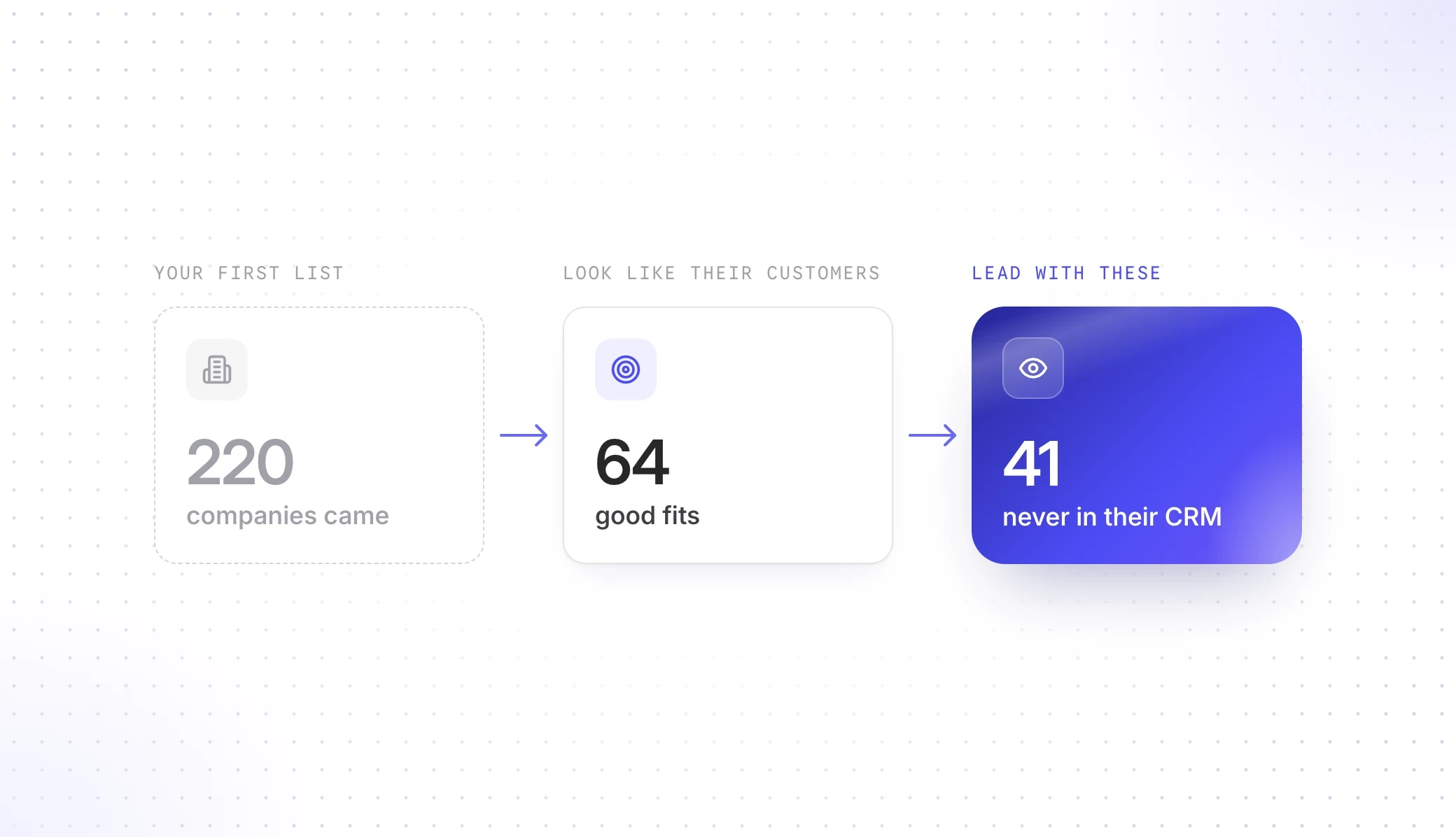
Lead with the 41, because your client didn’t know those companies were looking.
Put them at the top of your first report. They look like your client’s customers and they came to the website, but they’re not in the CRM. So nobody on your client’s side has spoken to them.
If the names look right, your client’s money is reaching companies that could buy and sales has 41 new companies to call. If they look wrong, that’s next month’s plan and you found it first. (Better you than their new marketing director.)
Either way, your client finally sees who’s on their site.





2. Where should the budget go?
What they’re truly asking: which of this is bringing me customers and what can I safely cut? They’ve got a fixed budget and have to defend every line of it to someone above them.
The report can’t answer that, because it gives all the credit to the last click. So your client wants to cut LinkedIn, which is expensive and looks like it’s produced nothing.
You know the report’s wrong, but you can’t prove it. (A 40-slide attribution deck doesn’t count.) To prove it, you need to know which clicks could never buy and which channel really starts their deals.
So start with the clicks that could never buy.
Every ad account you run pays for these:
- Their own customers, looking for the login page.
- Competitors, checking the ads. (We’ve all done it.)
- People looking for a job.
Ad platforms can’t show you how many, because they stop at the click. We don’t. So pull their customers and competitors out of the campaign this week.
Then show which channel really starts their deals.
You know last click flatters brand search. Nobody searches for a brand they’ve never heard of, so something else has already done the work. That something gets no credit, so your client thinks it’s the thing to cut.
Because you’re following the company, it doesn’t matter who comes back or from which laptop. So when a company becomes a deal, you can see what first brought it in.
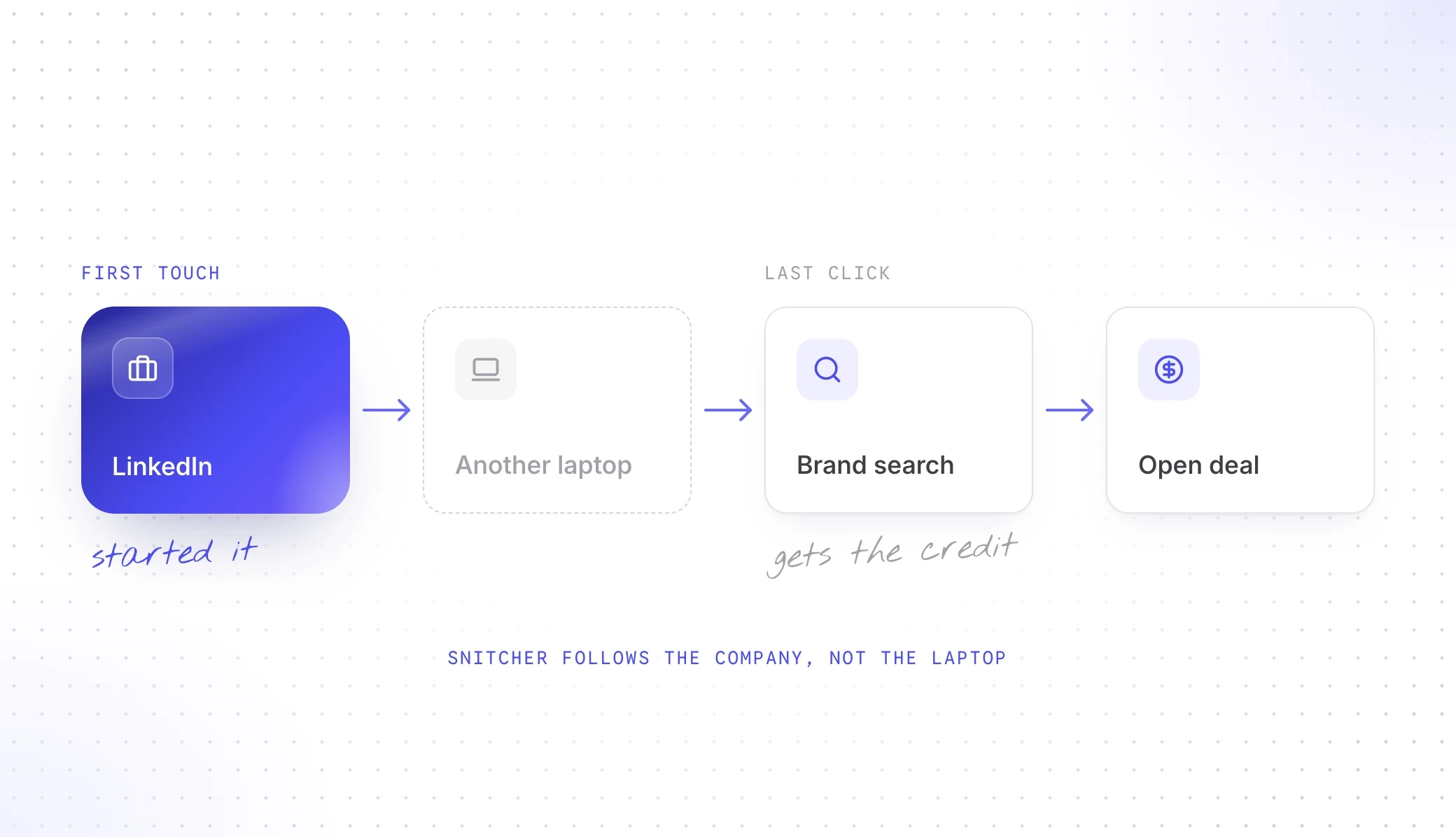
Say your client has five open deals. Here’s what the report says against what actually happened:
| Channel | Credit in the report | Deals it actually started |
|---|---|---|
| Paid search | 4 | 1 |
| 0 | 3 | |
| Display | 0 | 0 |
| Organic search | 1 | 1 |
LinkedIn started three of the five and the report gave it nothing. (Display is about to have a difficult month.)
You’re not asking for more budget. You’re asking to move it.
Take one move to the next budget talk. “Leave LinkedIn alone and move the Display money” is a very different talk from “cost per click is up”. And you’ve got the company names to back it up.
If they say yes, their money moves to what starts their deals. If they say no, they’ve still seen what each channel brought in, with names.
Now your client can defend every line of that budget.
Your client wants to spend more? Check fit after every step up. When we’ve turned up our own budgets, the extra sign-ups skewed to the worst-fit companies.
Manage their website or SEO instead? Work back from the deals. See what those companies read first, then compare them with the good fits that went nowhere.
3. Are these leads any good?
What they’re truly asking: what do I say when sales tells me marketing isn’t working? Your contact sits between you and a sales team that gets the last word on your leads.
A count of form fills won’t settle it, because it only shows how many came in. So your contact loses that argument and a few months later you lose the client.
You need to know which leads were worth having and who sales should be calling instead.
So start with the leads you’ve already sent.
Run last month’s form fills through the same A+ to D grades. Some came from companies worth having and some were never going to buy. Now you and sales are looking at the same names.
Then give sales a reason to call.
Send them the good fits nobody’s talking to. A company name alone won’t get them to call, because one on the list might have 7,000 staff. (Nobody’s calling 7,000 people.)
So each company needs two more things:
- Who to ask for: the people there with the job titles your client sells to.
- Why now: what that company just did on the website.
The best reasons come from their CRM. Connect it and you can see when a company with a deal comes back to the website:
| What you see | What it probably means | Who should call |
|---|---|---|
| An open deal is back on pricing or a comparison page | They’re deciding. We watch this one ourselves | The deal owner, today |
| An open deal hasn’t been back in 60 days | It might not be as open as the CRM says | The sales lead |
| A lost deal is back after months away | Whatever stopped them might have gone | Whoever lost it |
| One of sales’ top ten targets visits | They’ve started looking | The sales lead, the same day |
Send sales five companies and a reason to call each one.
Keep it to five per client, so whoever runs the account can do it before the monthly call. (It’s also how you finally get a reply from sales.)
If they call, your leads are turning into conversations and you can both see it. If nobody calls, your contact knows exactly where it stopped.
Now when sales says the leads are rubbish, your contact has names to answer with.
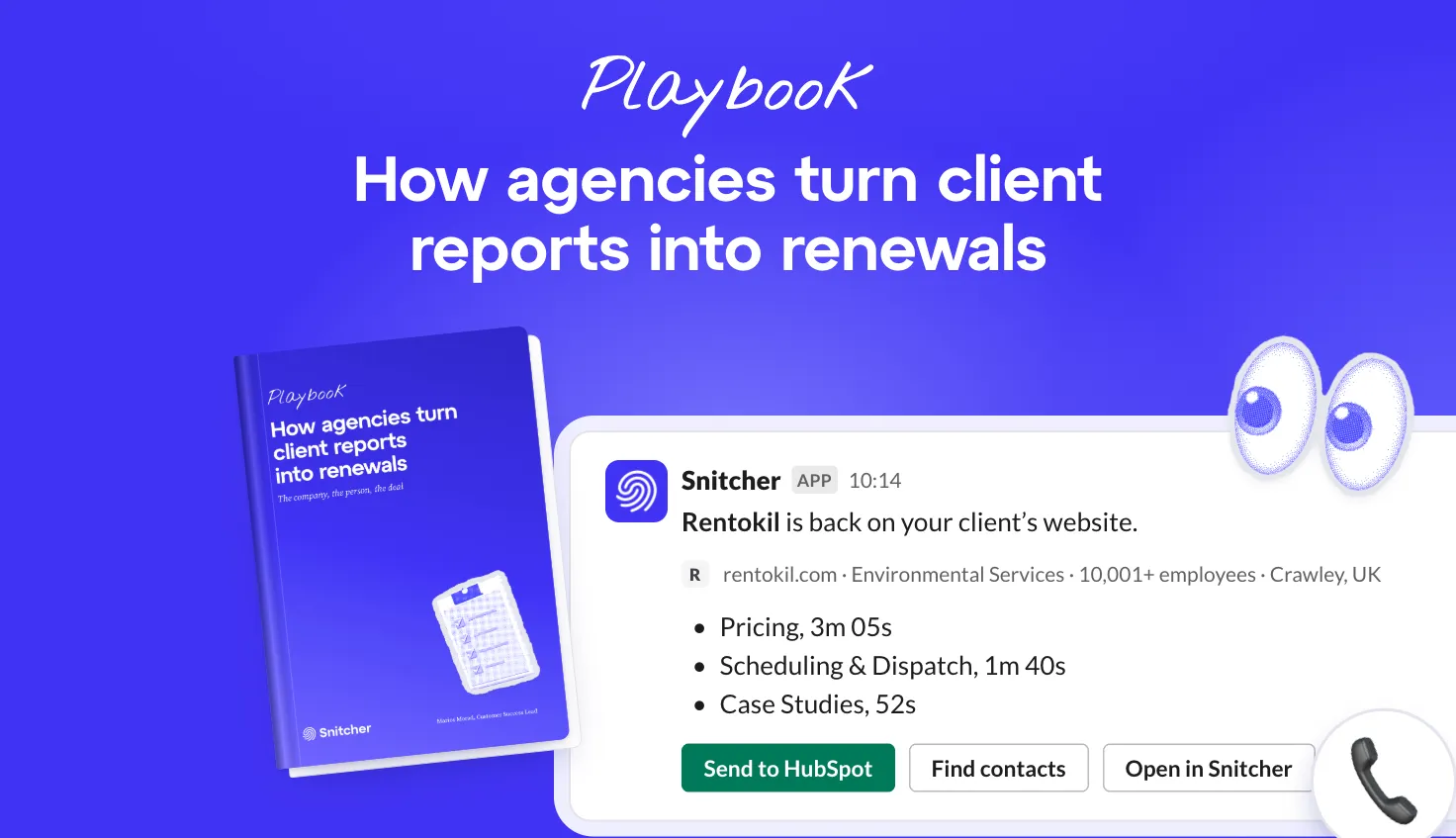
Set up an alert and when one of those ten visits, this lands in your Slack:
- SnitcherAPP10:14 AM
1 new session has been recorded in your segment: Top 10
🏢 Rentokil- Website
- https://rentokil.com
- Stats
- Sessions: 3, pageviews: 8
- Industry
- Environmental Services
- Size
- 10,001+ employees
- Location
- Crawley, UK
- Original source
🕘 Recent activityAdded by Snitcher- Pricing
- Scheduling & Dispatch
- Pricing
 Marios10:21 AM
third visit this week 👀 telling their sales lead now

4. Is this working?
What they’re truly asking: what can I tell my boss this money brought in? They pay you every month and have to justify that to someone above them.
Your client already judges you on one number, whether that’s enquiries, demos or RFQs. Keep it. But it can’t answer that on its own, because it only counts the people who got in touch and most people never do.
You need to show which other companies your work brought in and which ones became deals.
So start by adding the companies that never got in touch.
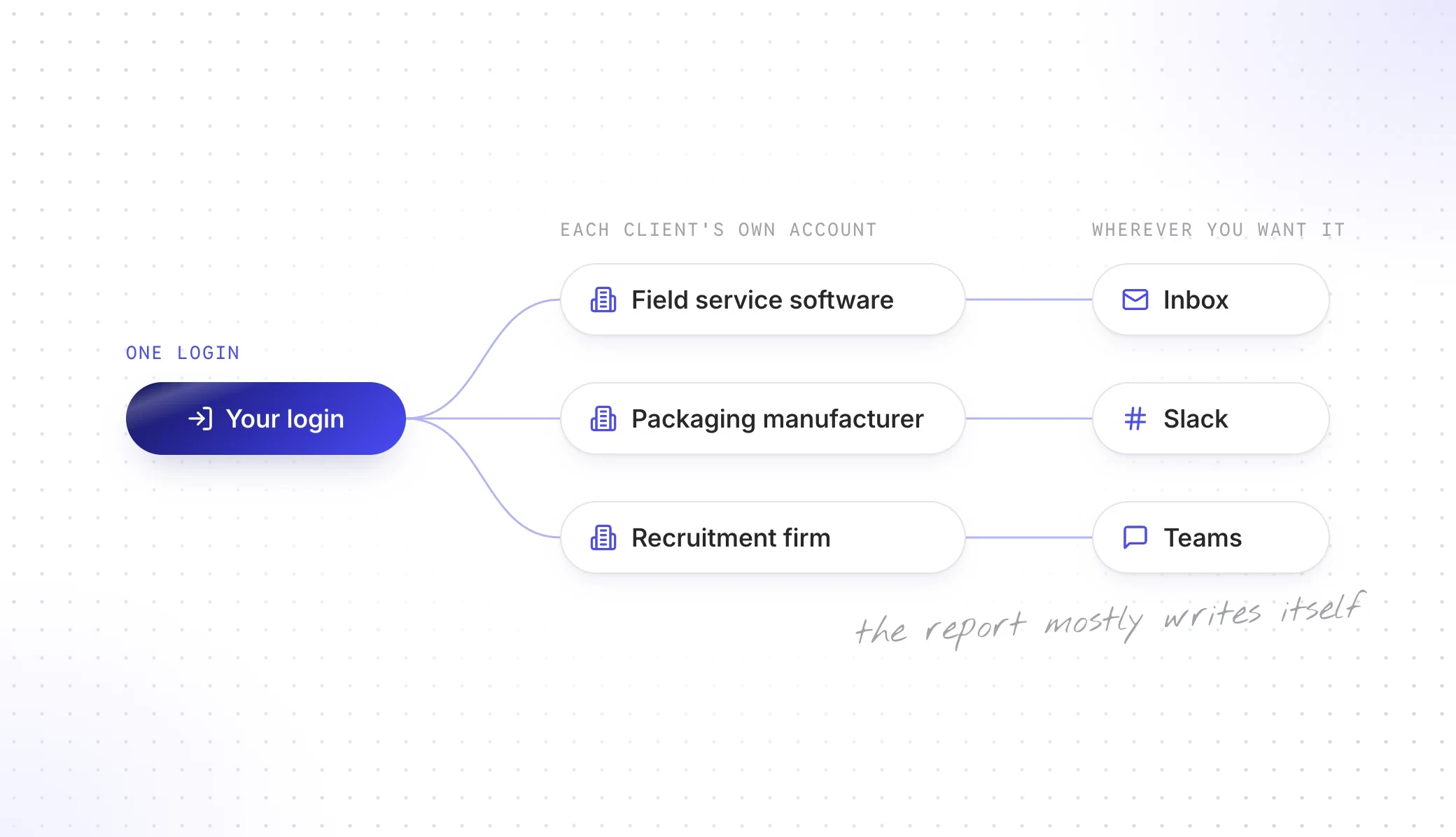
Schedule a monthly report in each client’s account and the list lands wherever you want it: your inbox, theirs, Slack or Teams.
Every client sits under your one login, so that’s not twenty reports from scratch. Add what only you know and drop it into whatever you already send.
Then count the deals next to the number they judge you on.
Finance will pick apart one big number. Three plain ones are harder to argue with:
- New deals: companies your campaigns first brought in that now have a deal.
- Open deals that came back: companies already in a deal that returned to the site while your campaign ran.
- Lost deals that came back: companies sales had given up on that returned and are talking again.
Be careful with open deals. Say “back on the site while we ran this”, not “because of it”. A deal that existed before the first visit never counts as new.
Lead your report with the deals, so your contact can repeat it to their boss.
Put the result in the subject line of your email. (It might be the only line they read.)
If the deals are there, your contact has their answer. If a good fit came back and nobody called, put that in the report too. That’s a hand-off nobody made and now your client can see it.
Either way, your client can see what their money brought in, right down to the deal.
Here’s how that reads in the email with March’s report:
Hi Kate,
March’s report is attached. Five new deals started with companies we brought in and two companies you’d lost are talking again.
LinkedIn brought in three of the five, so we’re moving the Display money into it.
Four companies that look like your customers visited again and nobody’s called them yet. They’re at the top of the report.
Marios
5. Why is it down this month?
What they’re truly asking: should I be worried and have you got this under control? When a number drops, your contact is the one who has to explain it inside their company.
The traffic chart won’t tell them, because traffic is a shaky number these days: more people get their answer from an AI and never click.
You need to know whether they lost companies that could buy or traffic that never would.
So start with the good fits, not the traffic.
Compare how many good fits came this month and last month, then set that against traffic. That tells you what to say:
| Traffic | Good fits | What to tell them |
|---|---|---|
| Down | Up | Good news: less traffic, better companies |
| Down | Flat | No harm done: less traffic, same companies |
| Down | Down | A real drop: here’s the fix and when you’ll see it |
| Up | Down | Not as good as it looks: more traffic, worse companies |
| Up | Up | It’s working: here are the names and what brought them in |
Say you switched off Display last month. Traffic is down about 30%, but good fits are up from 64 to 71 now the money has moved. That’s the top row: a good month that looks like a bad one on a traffic chart.
If good fits dropped too, find out where they went.
That’s a real drop. Split them by channel and you can see where the companies went, so you can bring the fix with the bad news.
Tell them before the report lands.
A client who finds the bad month on slide 27 remembers it for a long time. So send the heads-up first, with the companies in it.
If it’s good news, your contact gets to pass it on. If it’s a real drop, they hear it from you with the fix already moving.
Either way, they’ve got an answer before anyone asks them.
Here’s the heads-up you’d send:
- Marios9:02 AM
Morning! Heads up before the report lands: traffic's down about 30% this month. That's on purpose, we switched off Display. The good bit: the right companies are up from 64 to 71 and two open deals are back on your pricing page 👀
- Kate9:41 AM
Oh ok, phew 😅 can sales get those every week?
- Marios9:43 AM
Yep, I'll set it up today
6. What are we paying you for?
What they’re truly asking: what would stop happening if we ended this? Nobody asks this when they’re happy with the answer.
It’s usually someone above your contact who’s asking. It tends to start with “just so I understand what we’re paying for…”. (Nobody sends a calendar invite called “reviewing our agency”.)
A list of tasks won’t answer it. Your client can get a blog post from a prompt now, but a prompt can’t tell them which company to call this week. You need to show the deals your work started and the money you saved them.
So start by lining up the deals by quarter.
A monthly number always undersells you, because deals take months to close. Line up the good fits by the quarter they first visited and count the deals:
| First seen in | Good fits | Deals so far |
|---|---|---|
| Q1 | 192 | 6 |
| Q2 | 213 | 4 |
| Q3 | 219 | 1 |
Q3 isn’t worse. Those companies just haven’t had as long.
Then add up what you saved them.
Count the clicks you pulled out of the campaigns and the budget you moved out of channels that started nothing. That’s money your client would still be spending.
So walk into the renewal with the whole year.
Open with one line: “Eleven of your deals this year started with a company our campaigns brought in. And you’ve stopped paying for clicks from your own customers and competitors.”
Then do the sum with them: your fee plus the ads for the year against what the deals they’ve won are worth. If those pay for the lot, that’s your renewal. If they don’t yet, the open deals are your case for another year.
You don’t have to rebuild anything, because the list has been running in Snitcher all year. And your contact gets one page to show their boss, so nobody has to ask what they’re paying for.
Bring the list to whatever catch-up you have every quarter, too, because that’s where the next idea comes from. Say three of their customers keep reading about a product they don’t buy. That’s next quarter’s campaign.
So, how do you turn client reports into renewals?
That’s six questions and your client will get round to all of them.
Show each client which companies your work brought in, who to talk to and which ones became deals.
Start with names in the first report and pull out the clicks that could never buy. Then send sales five companies worth calling and count the deals your work started or brought back.
Tell them first when a month looks bad. Then walk into the renewal with a year of it.
Your client stops asking if it’s working and starts asking who to call next.
Here’s the whole thing in one table:
| When | What you do |
|---|---|
| The day the script goes in | Grade the companies and show them the names |
| That week | Pull out the clicks that could never buy |
| Before each monthly call | Send sales five companies and a reason to call each one |
| Every monthly report | Count the new deals and the deals that came back |
| Any bad month | Tell them before the report lands |
| Three months before the renewal | Send your contact one page they can pass on |
Snitcher finds the company, the person and the deal. You tell your client what it means.
Pitching a new client? Get their OK for the 14-day trial and walk in with the companies already on their site.
Got a client asking? Join the agency program and set them up this week.